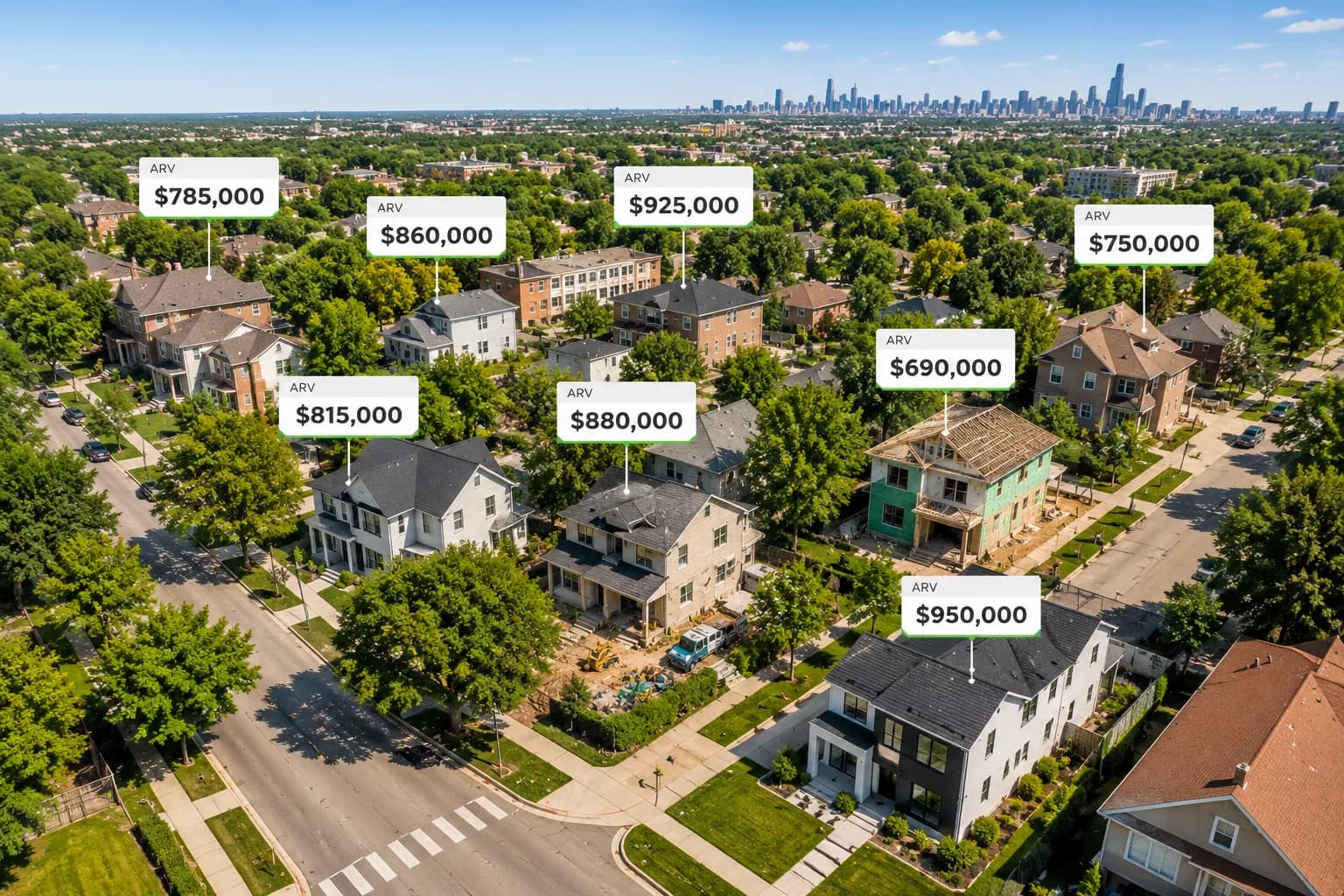
Platform / Leads
Find, underwrite, and close your next flip in one workspace.
The Leads phase of FlipperPro takes a property from first look to closed purchase: sourcing, AI underwriting, comps, offers, inspection, and closing checklists in one place.
Stage 1 / Source
Fill your pipeline with targeted leads.
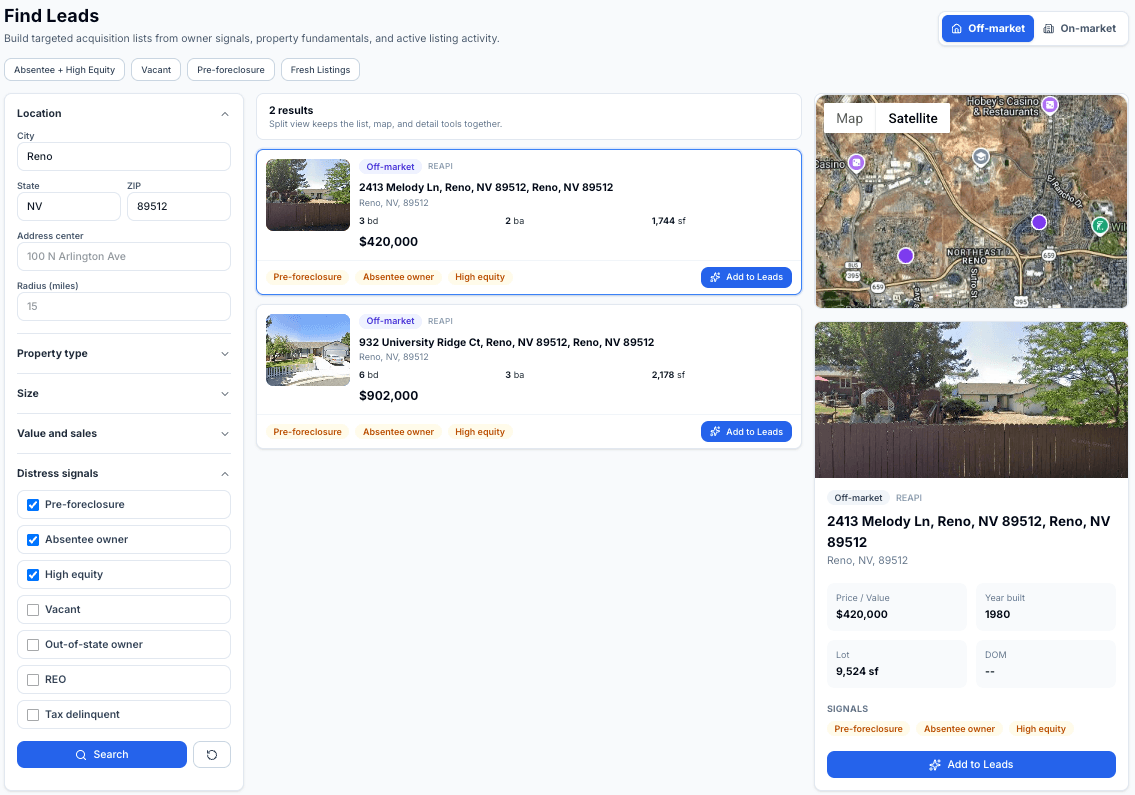
Find Leads builds acquisition lists from owner signals, property fundamentals, and active listing activity. Search off-market records or on-market listings, then save the best candidates as leads with one click.
- One-click presets: Absentee + High Equity, Vacant, Pre-foreclosure, and Fresh Listings.
- Distress signals: pre-foreclosure, absentee owner, high equity, vacant, out-of-state owner, REO, and tax delinquent.
- Search by city, state, ZIP, or a radius around any address, with property type and size filters.
- Results, map, and property details side by side. Add to Leads starts enrichment in the background.
Stage 2 / Underwrite
Underwrite any address in minutes.
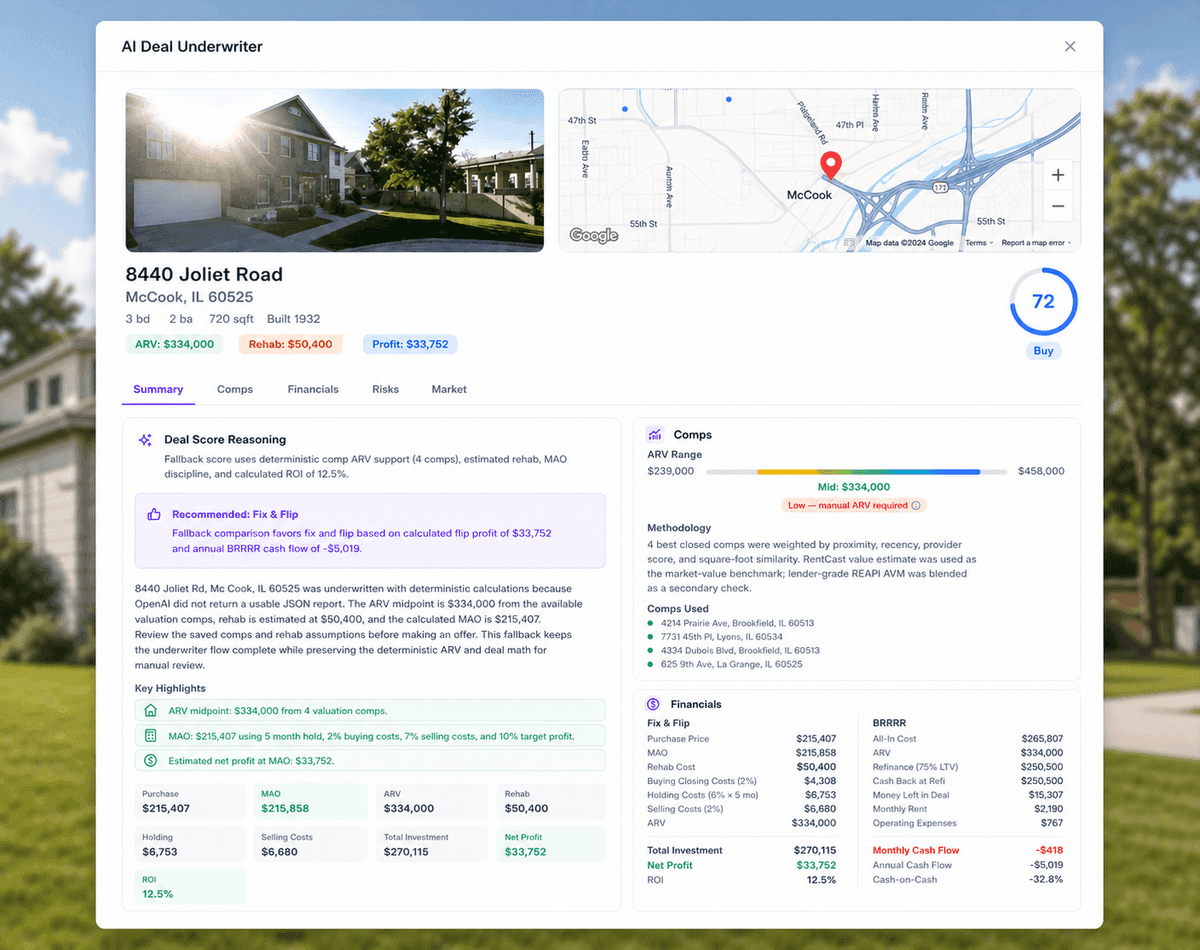
Type an address and the AI Deal Underwriter returns a comprehensive AI-powered deal analysis with data from 8 sources. ARV, rehab estimate, and projected profit land on one report, with the comps to back them.
- A deal score with a clear call: Strong Buy, Buy, Hold, or Pass.
- Fix & Flip and BRRRR financials side by side, from purchase to exit.
- Risks ranked by severity, each tied to the data source behind it.
- Set your target offer and re-score the deal instantly.
Stage 3 / Verify
Prove the ARV with your own comps.
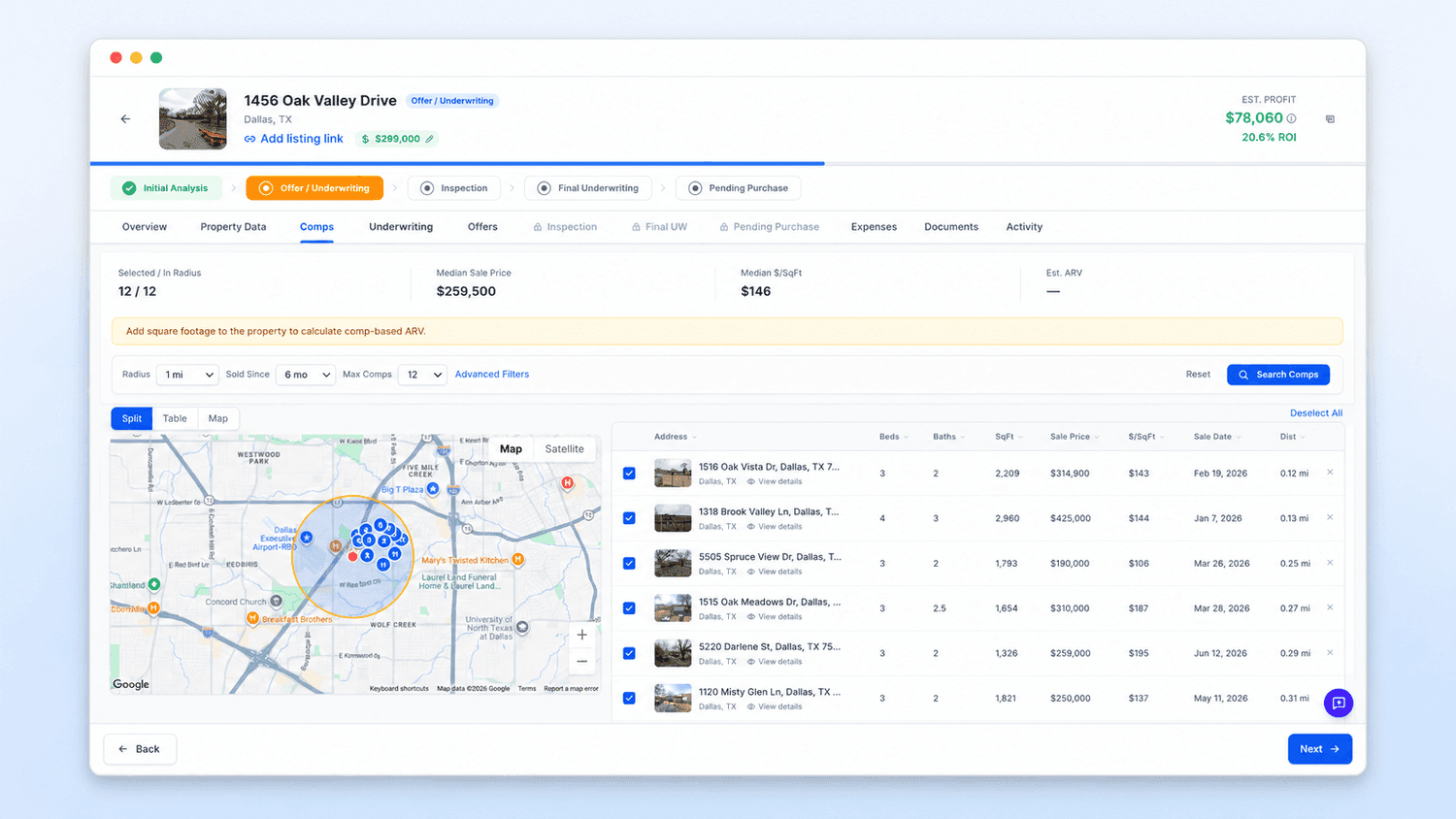
The Comps Research workbench pulls comparable sales around the subject property so you can build an ARV you trust: filter, select, and apply it straight to the lead.
- Radius and lookback search with advanced filters for beds, baths, size, price, and year.
- Comp map and sortable table stay in sync while you select comps.
- Median sale price, median $/sqft, and a live Comp ARV as you refine the set.
- Apply the Comp ARV to your lead, or save a promising search as a new lead.
Stage 4 / Manage
Run every deal from one pipeline.
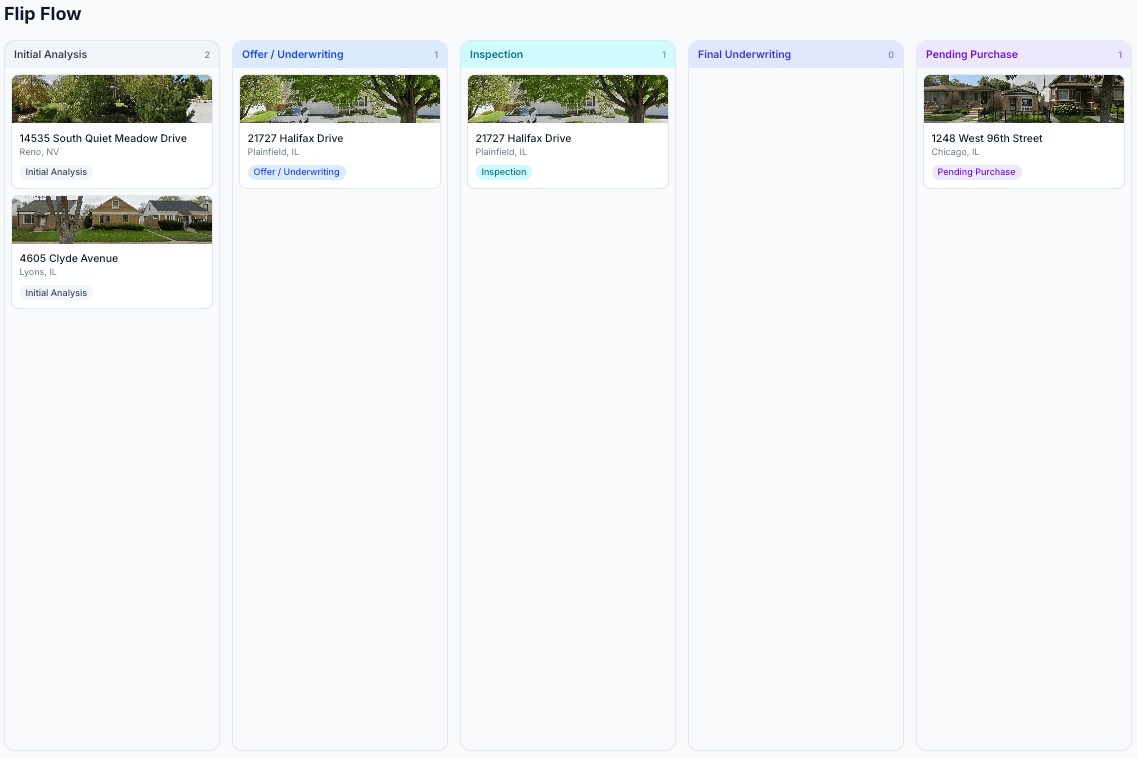
The Acquisition dashboard shows the state of your funnel, and Flip Flow moves deals through the five stages your process actually has.
- Dashboard stats: Total Leads, Active Pipeline, Funded This Month, and In Underwriting.
- Flip Flow kanban: Initial Analysis, Offer / Underwriting, Inspection, Final Underwriting, and Pending Purchase. Drag a card to advance.
- All Leads in Cards, List, or Map view with search and sorting.
- Stale leads get flagged after a week so follow-ups never slip.
Stage 5 / Negotiate
Negotiate with a number to stand on.
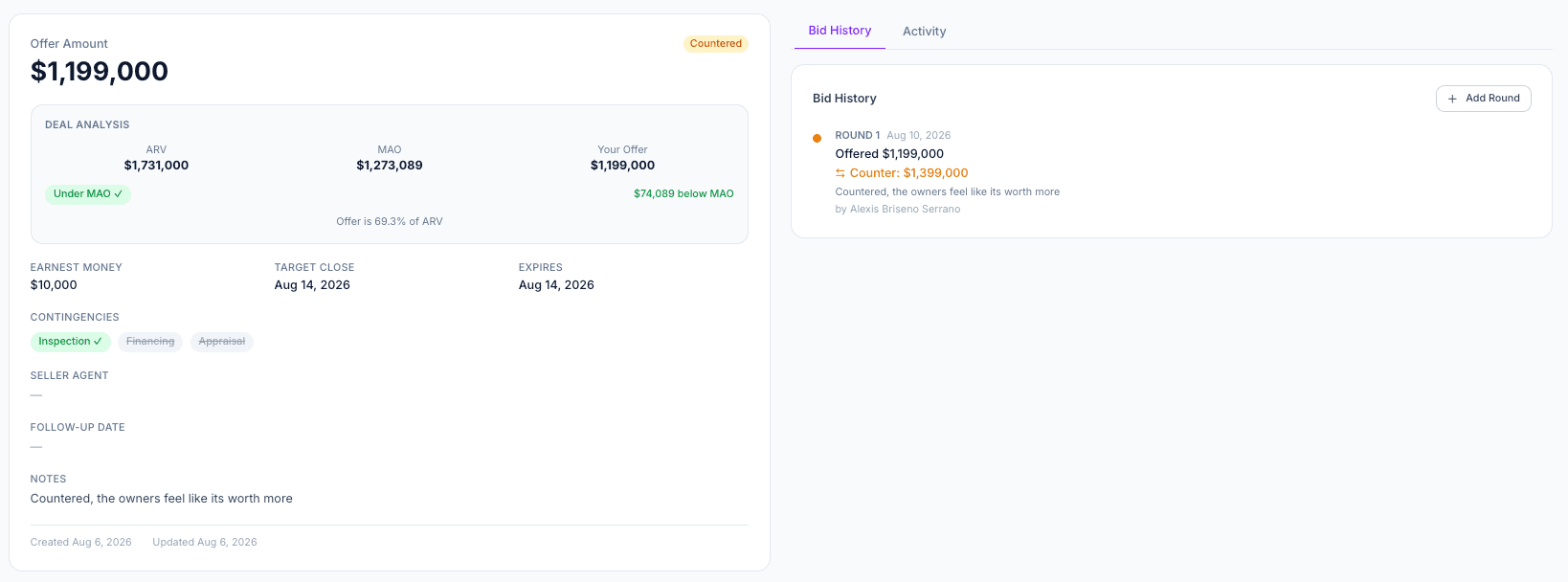
Buying Offers tracks every bid against your maximum allowable offer, so each counter is a decision instead of a guess.
- Every offer graded against MAO: At MAO, Under MAO, or Over MAO, with the dollar delta and percent of ARV.
- Bid History keeps each round: your offer, the seller counter, and the gap between them.
- Earnest money, closing date, contingencies, and seller agent details on the offer record.
- Expiration and follow-up banners keep negotiations moving.
- Accept & Move to Pipeline advances the lead to Pending Purchase.
Stage 6 / Close
Close with nothing left to chance.
Each lead carries a stage-gated workspace that walks the deal through inspection and closing with checklists that unlock as it advances.
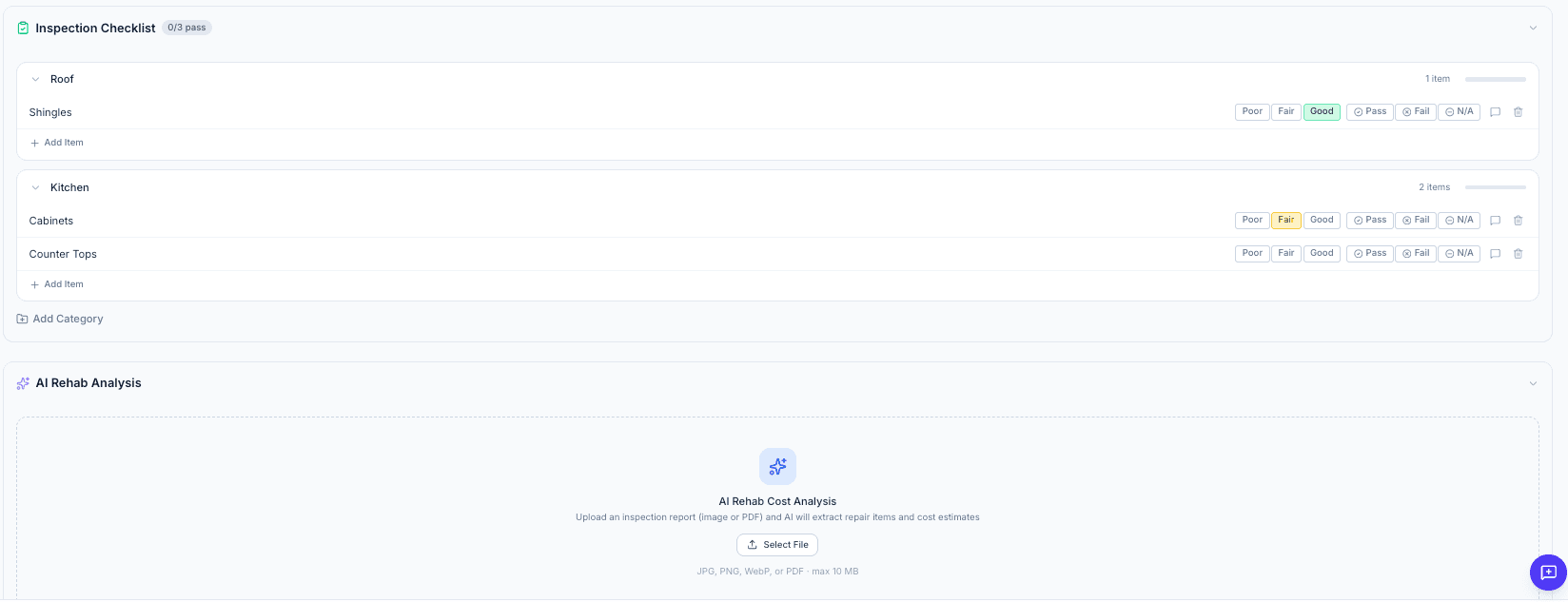
- Inspection checklist with Pass / Fail grading and per-item condition notes.
- AI Rehab Analysis reads an uploaded inspection report and returns Critical and Recommended repair line items.
- Final underwriting shows original versus refined numbers side by side after inspection.
- Transaction checklist, closing timeline, and a Required Documents tracker with a readiness gate before handoff.
Stage 7 / Handoff
Closed? The rehab phase is ready.
When the purchase closes, Move to Rehab Phase carries the deal into the Rehab side of FlipperPro. Same workspace, next phase.
- Readiness blockers confirm the price, closing date, checklist, and documents are complete first.
- The lead becomes a rehab project with its history intact.
Everything in the Leads workspace
Every lead carries a full workspace. Stage tabs unlock as the deal advances; lateral tabs stay available the whole way.
Acquisition views
- Acquisition dashboard stats
- All Leads: Cards / List / Map
- Flip Flow kanban
- Find Leads search
Overview
- AI analysis summary
- Automated valuations (AVM)
- Rental estimate
- Fix & Flip and BRRRR snapshots
- Risk assessment
Property Data
- Property facts and owner records
- Sales history and tax assessment
- Flood zone and NFIP claims
- Census demographics and crime index
Comps
- Comp search with advanced filters
- Comp map and detail views
- Apply Comp ARV to the lead
- Reset to AI-selected comps
Underwriting
- Offer price with suggested MAO
- Flip and BRRRR strategy toggle
- Market context panel
- Sensitivity table
Offers
- Recommended offer (MAO)
- Offer history with seller counters
- Contingency and terms tracking
- Attached offer documents
Inspection
- Inspection checklist with Pass / Fail
- AI Rehab Analysis from reports
- Inspection reports and contractor quotes
- Inspection photos
Final UW
- Original versus refined deltas
- Inspection summary rollup
- Post-inspection re-run
Pending Purchase
- Transaction checklist
- Closing timeline with key dates
- Purchase details and closing costs
- Title, escrow, and lender contacts
- Required Documents tracker
Always available
- Per-lead expense log
- Document uploads with custom names
- Activity log and notes
Frequently asked questions
Where do FlipperPro leads come from?
You can source leads inside FlipperPro with Find Leads, which searches off-market property records and on-market listings using presets like Absentee + High Equity, Vacant, Pre-foreclosure, and Fresh Listings. You can also start from any address with the AI Deal Underwriter, or save a comps search as a lead.
What does the AI Deal Underwriter analyze?
Enter an address and it returns a deal analysis built from 8 data sources, covering property facts, tax assessment, sales history, comparable sales, valuation, rent, market stats, flood risk, and demographics. You get an ARV, a rehab estimate, projected profit for Fix & Flip and BRRRR, ranked risks, and a deal score from Strong Buy to Pass.
Can I track offers and counteroffers?
Yes. Buying Offers records each bid round with your offer and the seller counter, grades every number against your maximum allowable offer (MAO), and tracks earnest money, contingencies, expirations, and follow-ups. Accepting an offer moves the lead to Pending Purchase.
Does FlipperPro cover inspection and closing?
Yes. Each lead has an inspection checklist with Pass / Fail grading, AI Rehab Analysis for uploaded inspection reports, a final underwriting pass that compares original and refined numbers, and a Pending Purchase stage with a transaction checklist, closing timeline, and Required Documents tracker.
What happens after I buy the property?
A readiness check confirms the purchase price, closing date, checklist, and documents are complete. Then Move to Rehab Phase converts the lead into a rehab project, so the deal continues in the Rehab phase of FlipperPro without re-entering anything.
See your next deal the way FlipperPro sees it.
Run your first AI deal analysis in minutes. The 7-day trial includes 10 full analyses and requires no credit card.